Clone a WordPress with ASP.NET and React Part 1: Initialize Project Structure with AI
WCSee,
Set the Context for the AI Assistant
In the previous article Build a WordPress Clone with ASP.NET Core and React, I designed the project architecture with the help of AI. In this article, we start to initialize Project Structure with AI assistance.
Tools Used: I’m using the Tae IDE along with Claude-4-Sonnect as my AI coding assistant.
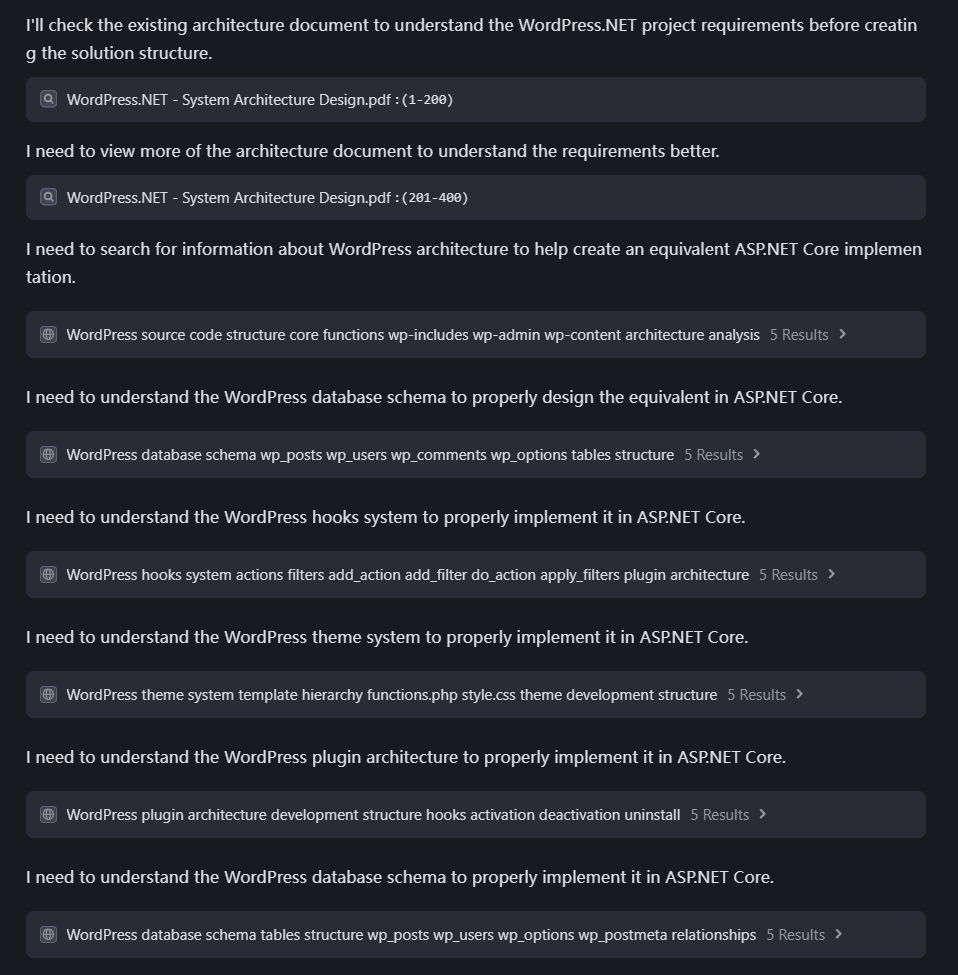
First, I need to provide the AI assistant with enough context so it can generate meaningful and relevant output. The key requirements are:
It should understand the actual WordPress source code and its core functionalities.
It must be aware of the architecture we designed in the previous article.
Based on that, it should help generate a complete project and code structure using the ASP.NET Core + React stack.
The goal is to fully replicate the functionality of WordPress using modern technologies. I then prompt the AI as follows:
Based on my analysis of WordPress architecture, I’ll create a comprehensive project structure for your WordPress.NET clone that incorporates the core concepts of WordPress into an ASP.NET Core and React implementation.
Understanding WordPress Architecture
Before diving into the implementation, let’s review the key WordPress components we’ll need to replicate:
Hooks System : WordPress uses actions and filters to allow plugins and themes to modify core functionality 12
Actions: Allow code execution at specific points (do_action)
Filters: Allow data modification before rendering (apply_filters)
Theme System : Follows a template hierarchy to determine which files to load 16
After reviewing the project structure generated by the AI assistant, it is highly recommended to save the output to a .md file. This serves as a reference for the AI in future steps, such as when generating specific folders or code files.
Also, avoid asking the AI to do too much in a single prompt. For example, instead of instructing it to generate the full project structure and create all folders/files at once, it’s better to follow a step-by-step approach:
First, ask the AI to generate the overall project structure.
Then, proceed to create folders and code files project by project.
This modular workflow improves clarity, reduces errors, and gives you better control over the development process.
Below is the prompt used to generate the overall project structure:
Prompt:let's first create the project structure folders and WordPress.NET.sln file. according to ProjectStructure.md guide
✅ What’s Next?
In the next step, I’ll ask the AI assistant to help create folders and code files for each backend project one at a time, based on the structure we previously defined. For example, we’ll start with projects like WordPress.NET.Domain, and so on.
To provide the best experiences, we use technologies like cookies to store and/or access device information. Consenting to these technologies will allow us to process data such as browsing behavior or unique IDs on this site. Not consenting or withdrawing consent, may adversely affect certain features and functions.
Functional
Always active
The technical storage or access is strictly necessary for the legitimate purpose of enabling the use of a specific service explicitly requested by the subscriber or user, or for the sole purpose of carrying out the transmission of a communication over an electronic communications network.
Preferences
The technical storage or access is necessary for the legitimate purpose of storing preferences that are not requested by the subscriber or user.
Statistics
The technical storage or access that is used exclusively for statistical purposes.The technical storage or access that is used exclusively for anonymous statistical purposes. Without a subpoena, voluntary compliance on the part of your Internet Service Provider, or additional records from a third party, information stored or retrieved for this purpose alone cannot usually be used to identify you.
Marketing
The technical storage or access is required to create user profiles to send advertising, or to track the user on a website or across several websites for similar marketing purposes.











 Clone a WordPress with ASP.NET and React Part 2: Create ASP.NET Projects Code Files with AI
 Unity in Practice 0007 – Very First Unity C# Code to Move and Jump a 2D Ball
 How to Build a Website from Scratch (Step-by-Step Guide for Beginners)
 How to Check SSL/TLS Versions and Cipher Suites on macOS and Windows