
In the previous tutorial (Initialize WordPress.NET Project Structure with AI), we initialized the full project structure—projects, files, and folders—with the help of AI. In this tutorial, we’ll Create ASP.NET Projects Code Files with AI.
Starting with the WordPress.NET.Domain project, we’ll create, validate, and compile the code step-by-step using AI assistants like Claude-4. This approach boosts efficiency and code quality.
🔨 Tools Used
- Tae IDE
- Claude-4-Sonnect AI Assistant
- .NET SDK 9+
- Visual Studio 2022+ or Visual Studio Code
Following are the detail steps how Create ASP.NET Projects Code Files with AI assistant’s help.
✅ Step 1: Use AI to Generate Code Files for the WordPress.NET.Domain Project
We begin by generating the domain layer of our backend. This includes entities, interfaces, enums, and shared domain logic.
create code files and code for WordPress.NET.Domain as specified in the ProjectsStructre.md
After initializing the code files for the WordPress.NET.Domain project, I noticed a few issues in the generated code. To address this, I ran the following prompt to have the AI double-check and refine the output.
✅ Step 2: Use AI to Review and Update Source Code
After the initial generation, it’s a good practice to double-check the quality and consistency of the code.
check wordpress.net.domain project's code: 1. if cover all wordpress's entities, enums, and other needes domain models. 2. check and fix code issues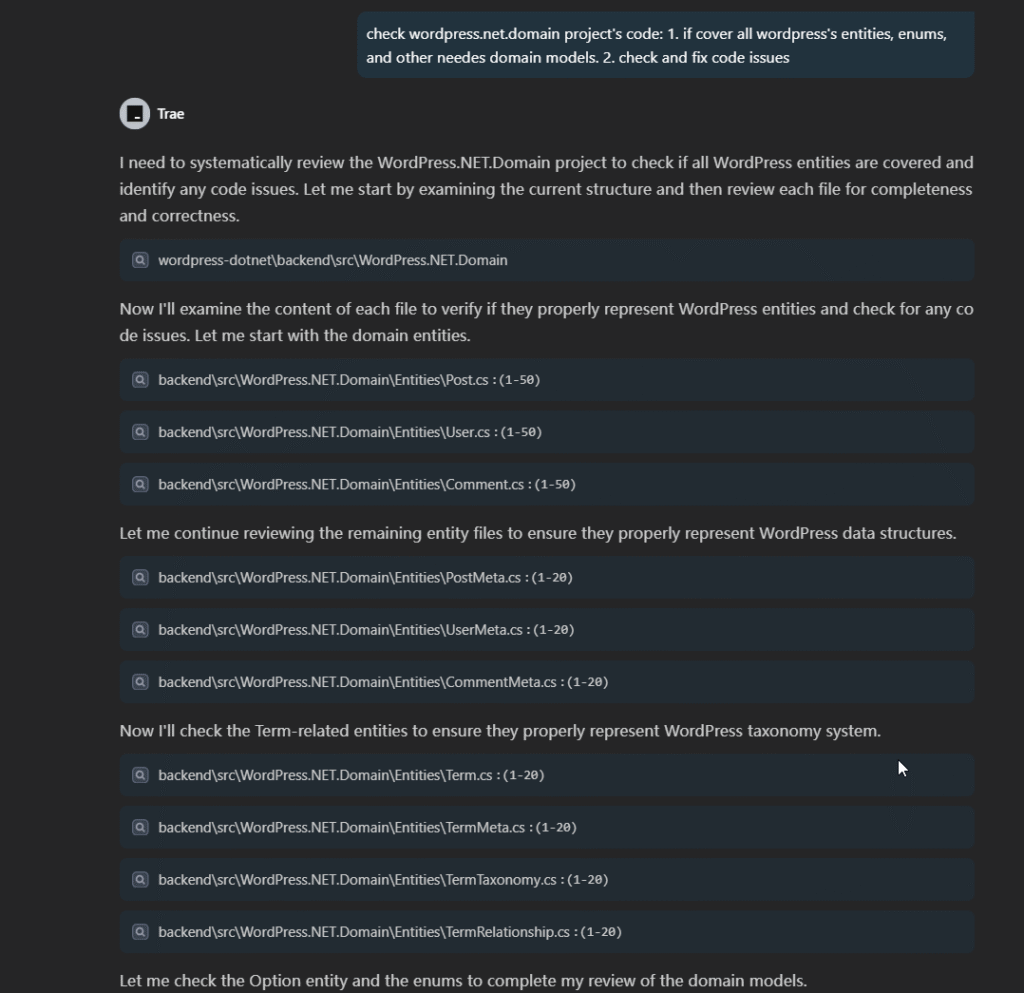
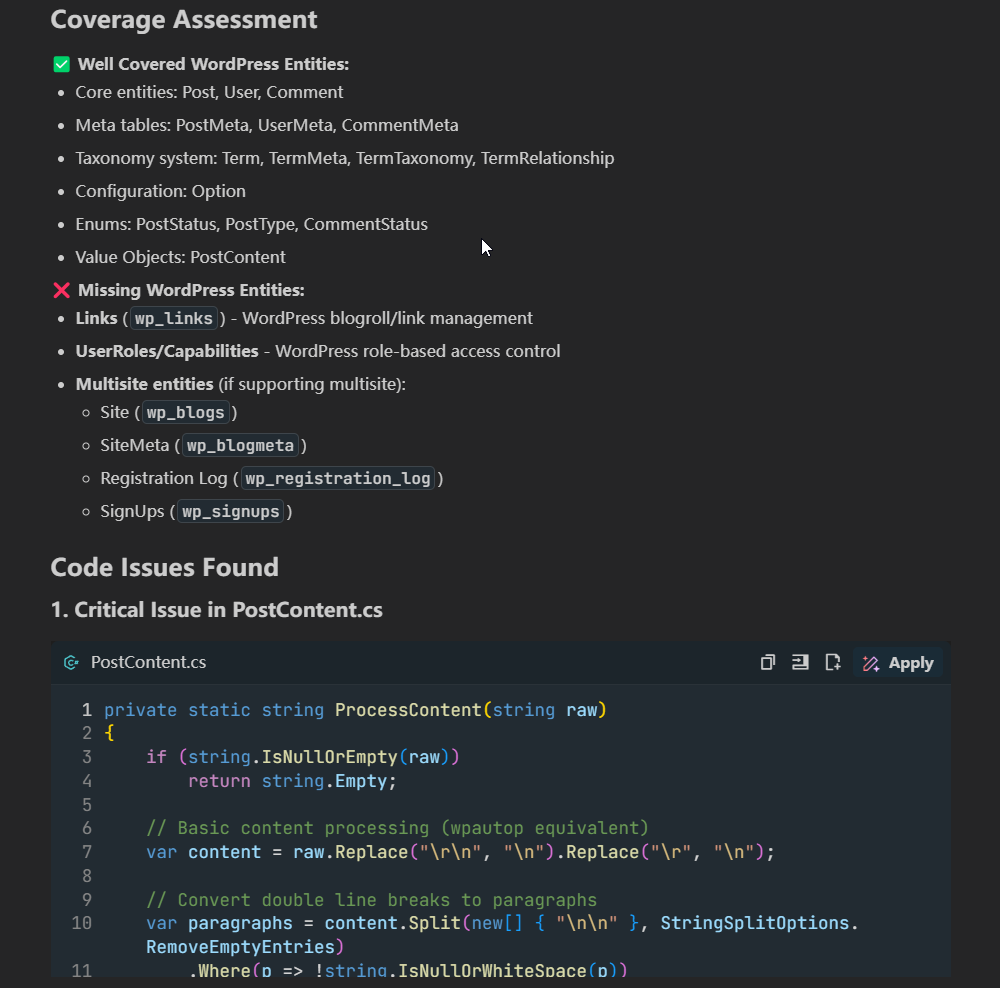
The AI assistant identified additional issues and provided the recommendations:
✅ Step 3: Compile the Code Using dotnet CLI
To verify that the code is syntactically correct, compile it using the .NET CLI.
dotnet build ./WordPress.NET.Domain/WordPress.NET.Domain.csproj📌 Best Practices
- Always save AI output (e.g., project structure or file content) to
.mdor.txtfiles for reference. - Avoid giving AI too many tasks in one prompt.
- Follow a modular and incremental approach—one project or layer at a time.
🔚 Conclusion
In this tutorial, you learned how to generate and validate code files for the WordPress.NET.Domain project using AI. This step sets a strong foundation for building the rest of the ASP.NET backend.
Stay tuned!
Github Repository
For more detail, please refer to the Project’s Github Repository: wcsee/wordpress-dotnet: Trying to clone WordPress with .NET stack










Related posts:
 Clone a WordPress with ASP.NET and React Part 1: Initialize Project Structure with AI
Clone a WordPress with ASP.NET Core and React: An AI-Assisted Development Journey
Clone a WordPress with ASP.NET and React Part 1: Initialize Project Structure with AI
Clone a WordPress with ASP.NET Core and React: An AI-Assisted Development Journey
 Unity in Practice 0007 – Very First Unity C# Code to Move and Jump a 2D Ball
 How to Build a Website from Scratch (Step-by-Step Guide for Beginners)
Register a Domain Name and Set Up Hosting | Building Website Tutorials Part 3
Choose the Right Website Platform or Builder | Building Website Tutorials Part 2
How to Build a Website from Scratch (Step-by-Step Guide for Beginners)
Register a Domain Name and Set Up Hosting | Building Website Tutorials Part 3
Choose the Right Website Platform or Builder | Building Website Tutorials Part 2
 How to Check SSL/TLS Versions and Cipher Suites on macOS and Windows
Set Up and Customize Website Using WordPress | Building Website Tutorials Part 4
How to Check SSL/TLS Versions and Cipher Suites on macOS and Windows
Set Up and Customize Website Using WordPress | Building Website Tutorials Part 4